How COOK works
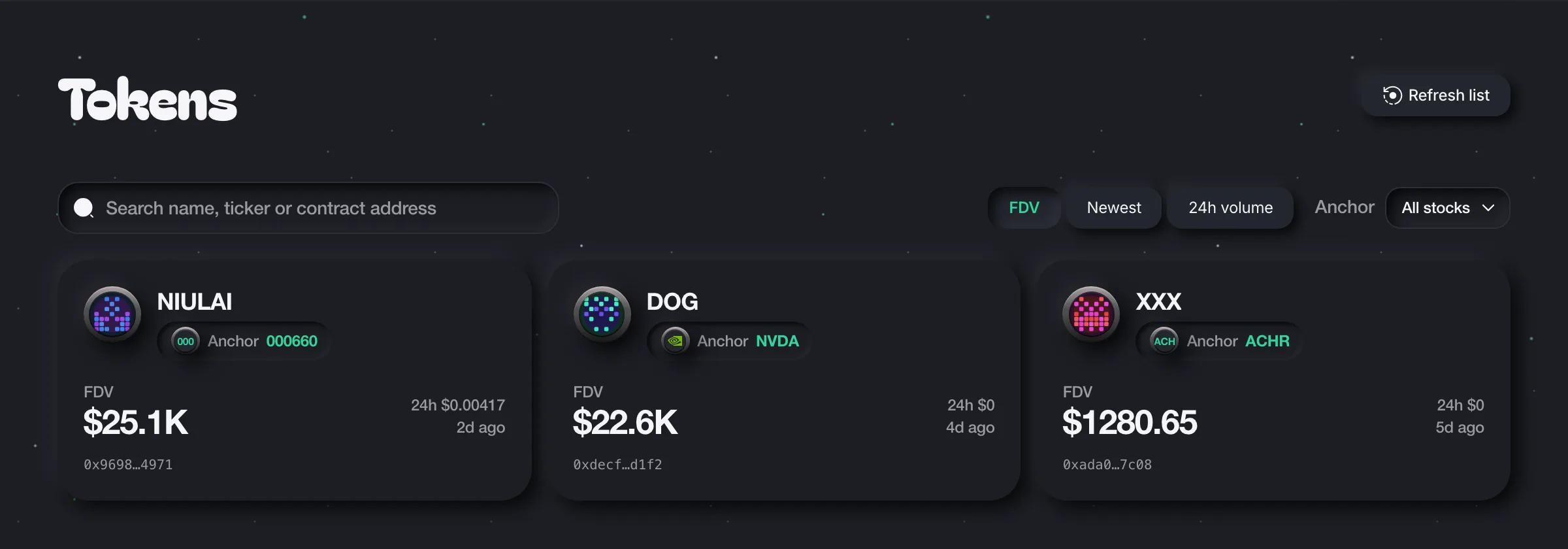
COOK lets you launch a community token paired with a supported tokenized stock on BNB Smart Chain. The stock token is the asset used to price and trade your community token. Look for the Anchor label on each token card to see its pairing.
Launch a token
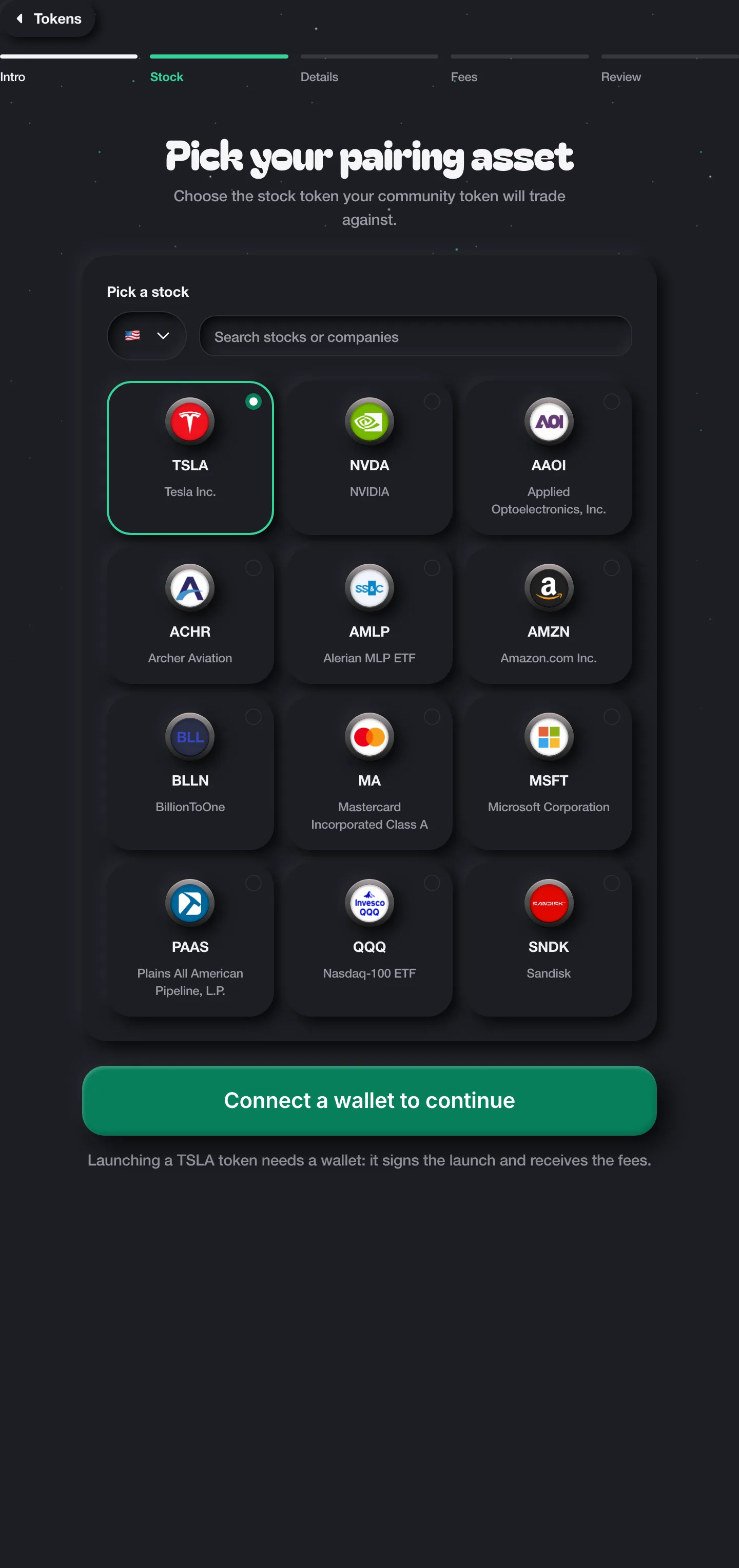
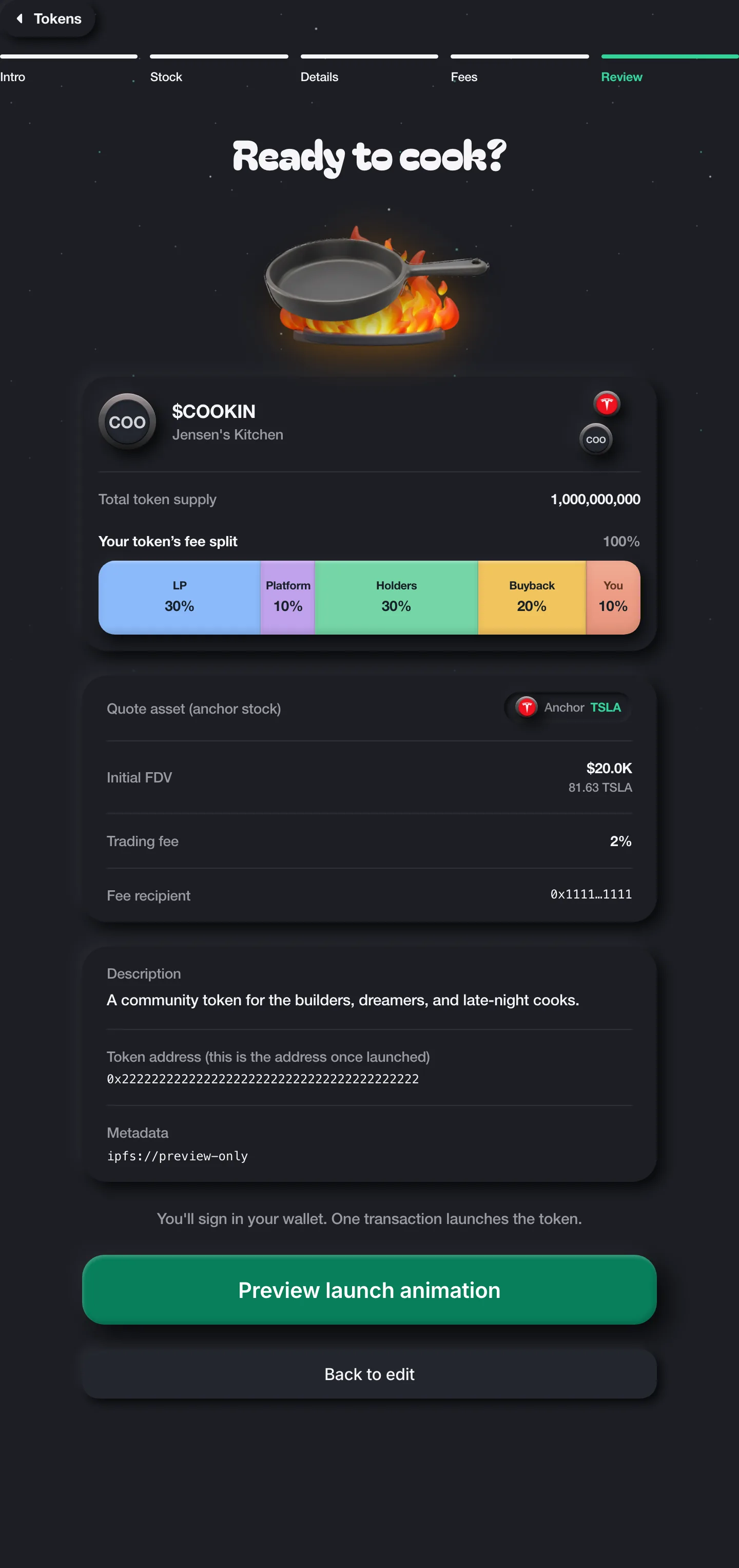
- Choose a supported stock token as your pairing asset.
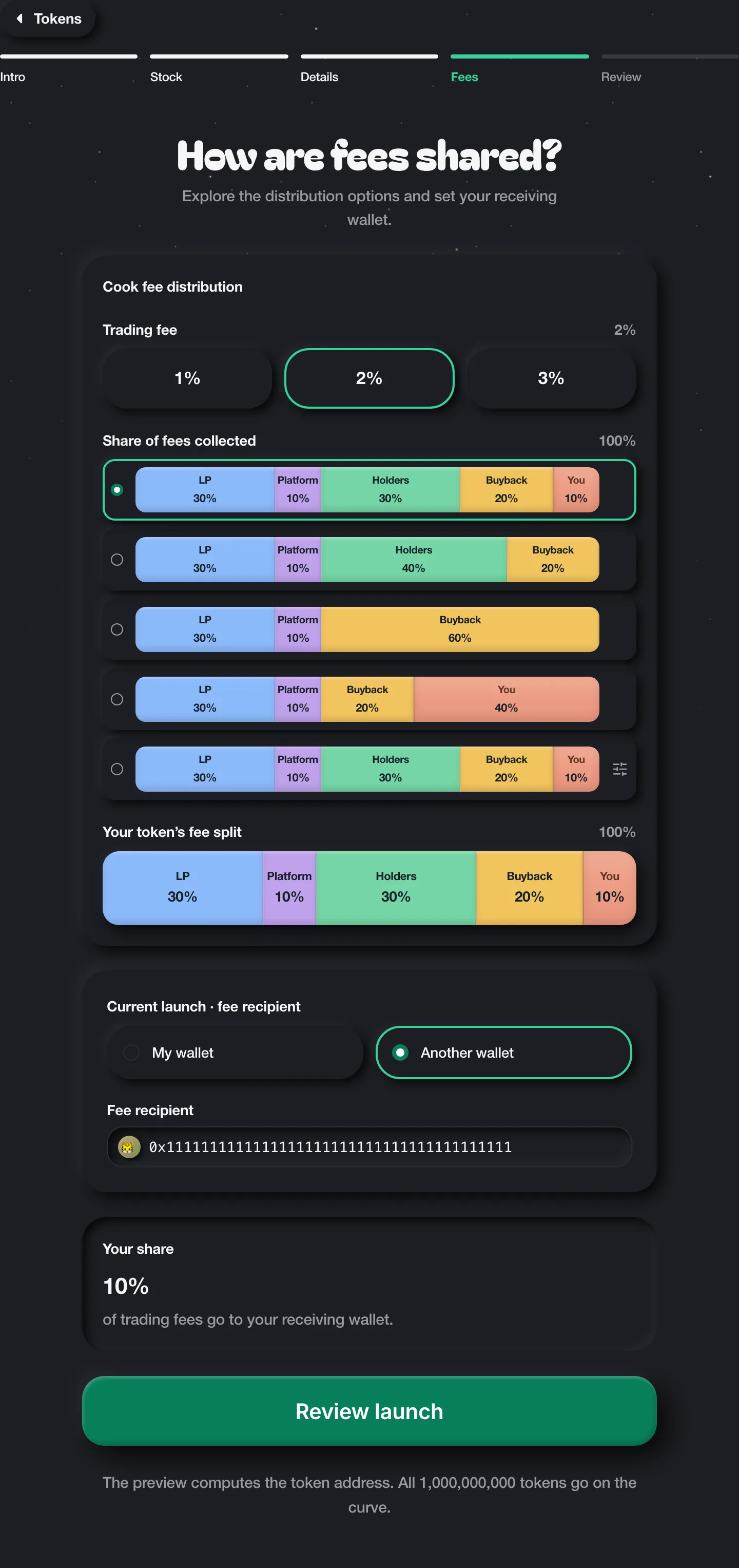
- Set the wallet that will receive your creator fees.
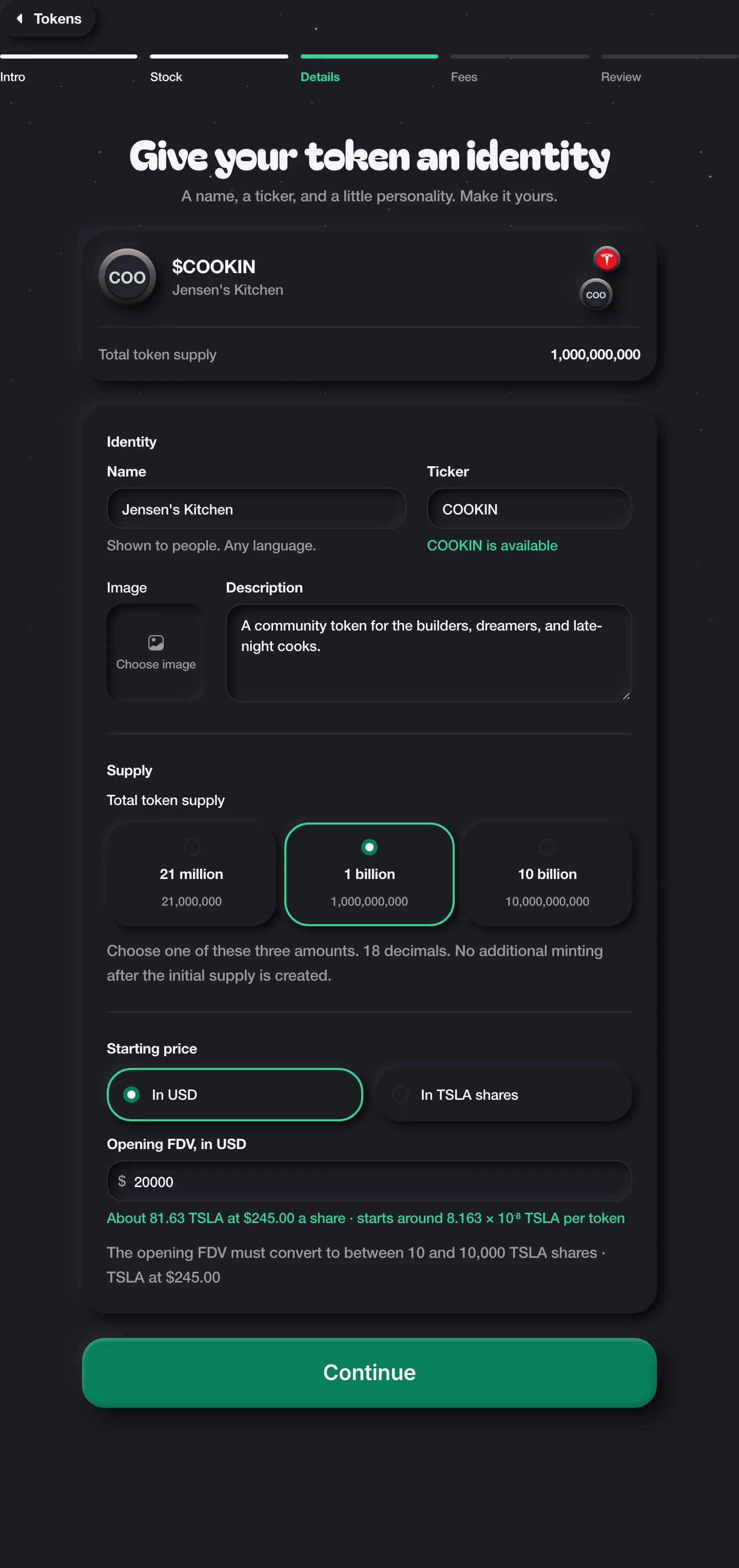
- Add a name, ticker and optional image or description, then set the initial FDV (in the paired stock) and token supply.
- Review the pairing, supply and fee recipient. Connect your wallet and confirm the launch transaction. The success screen appears after confirmation.
Find and trade tokens
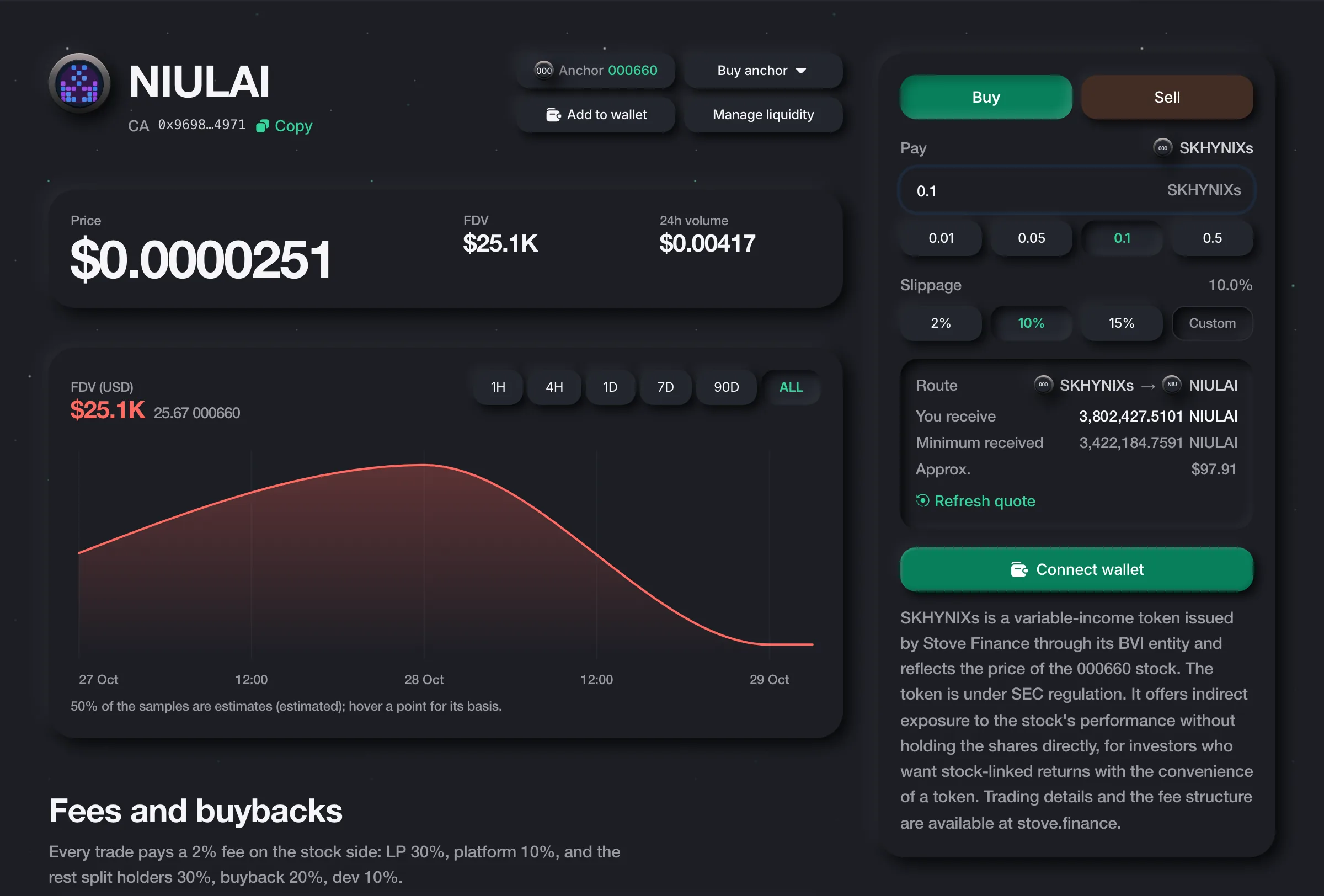
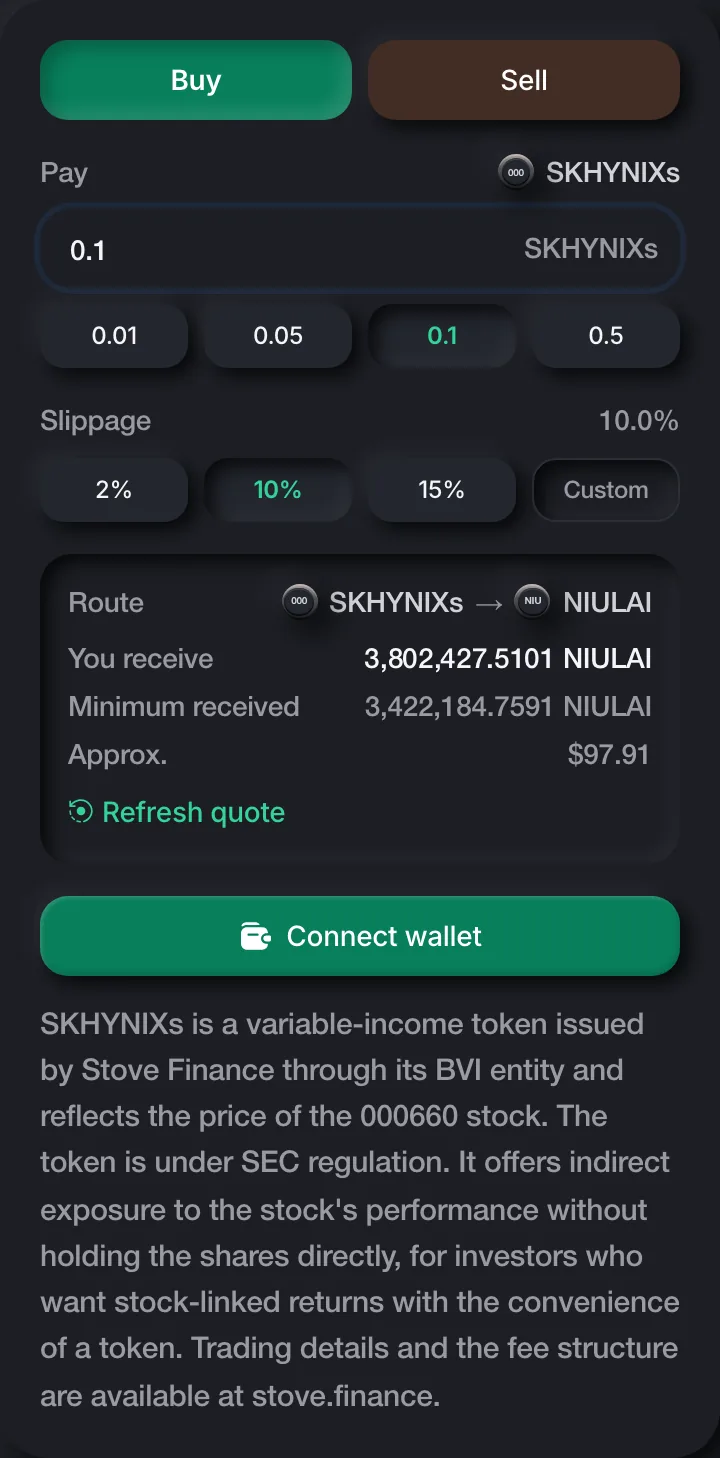
Browse the token board, search by name or address, or filter by anchor stock. Open a token to see its price, market cap, activity and trading panel. Choose Buy or Sell, enter an amount, review the quote and confirm in your wallet. The green highlight indicates your selected option.
Launch rules
- Supply
- Choose exactly 21 million, 1 billion or 10 billion tokens, with 18 decimals and no additional minting after creation. Live availability depends on the connected launcher. The form checks its supported tiers; amounts unavailable on an older deployment can still be explored in debug preview.
- Ticker protection
- Use 1–15 letters for your ticker. A launched ticker is protected for 24 hours.
- Fees
- The current pool fee is 1%, with 95% of pool fees allocated to the creator. The standard platform fee is 1%; during the first 10 seconds after launch it decays from 100% to the standard rate. Review the displayed quote before confirming a trade.
Disclaimer
Community tokens and their anchor stock tokens are separate assets. Review the token contract, pairing, fees and transaction details before signing. Displayed quotes can change before a transaction completes, and transactions require wallet confirmation.
This version is connected to a local fork of BNB Smart Chain. Launch and trade previews are for exploring the interface; a preview does not create a token or submit a transaction.